The words English uses most. Read, heard, spoken and written.
You mark what you already know and study only the rest. Every word goes through all four skills, with instant correction and a review right when you are about to forget.
Available on iPhone. Android is on the roadmap, with no date yet.
- most-used words, all with audio
- 1,000
- skills trained for every word
- 4
- spaced repetition scheduling each review
- FSRS
- to get started, without ads
- Free
The four pillars
Knowing what a word means is not the same as using it.
That is why every word goes through four exercises, with separate progress in each. You can be sharp at reading and still stumble when listening — and the app treats those separately.
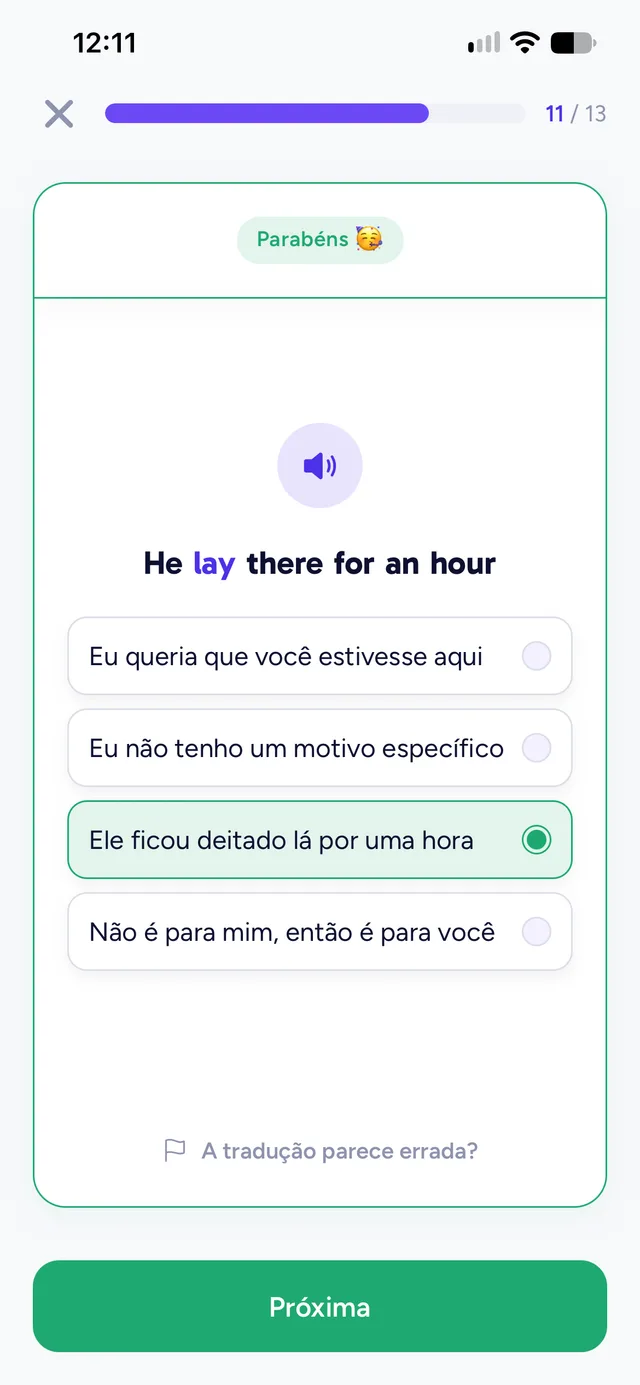
Reading
Understand it before you flip the card.
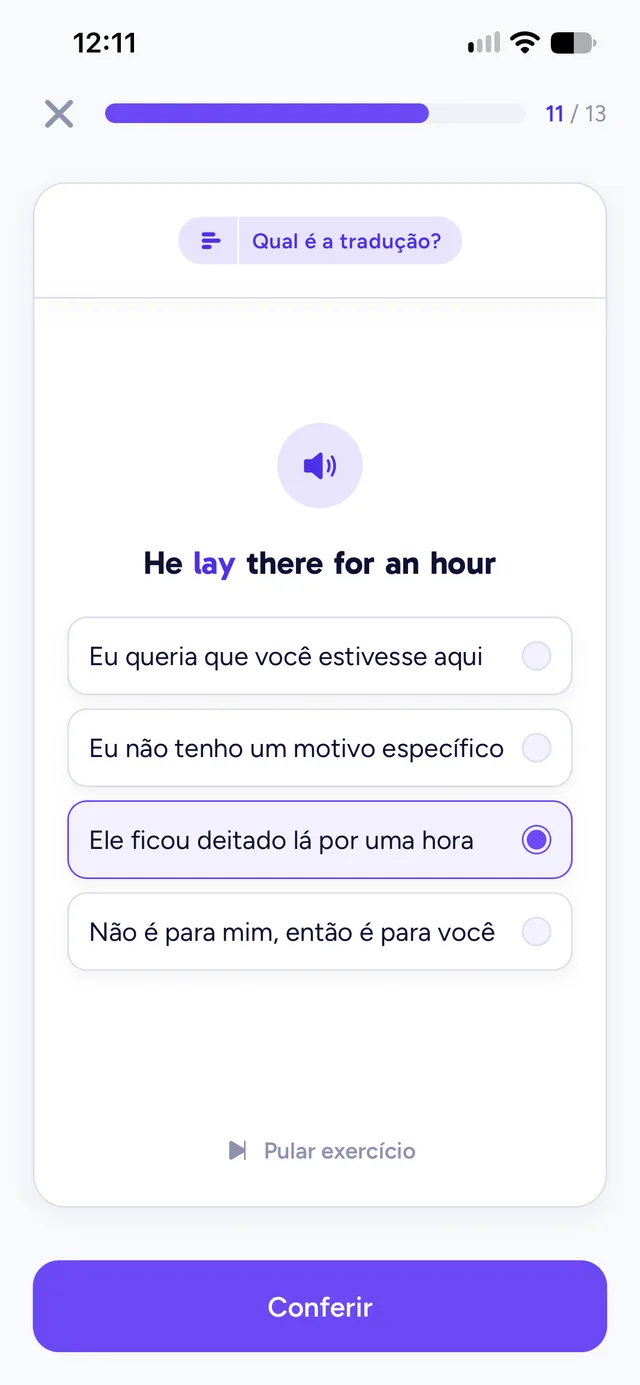
The word shows up inside a sentence, with audio. You try to understand it, reveal the translation and say how well you remembered — and that decides when it comes back.
Speaking
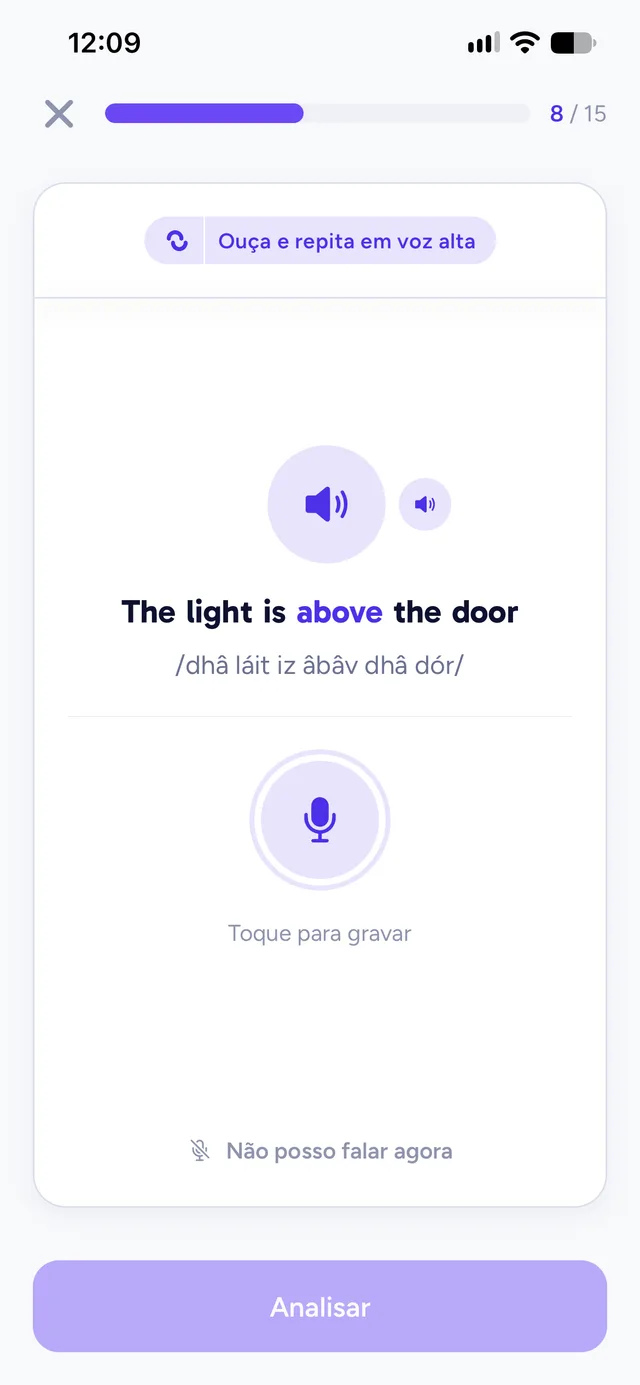
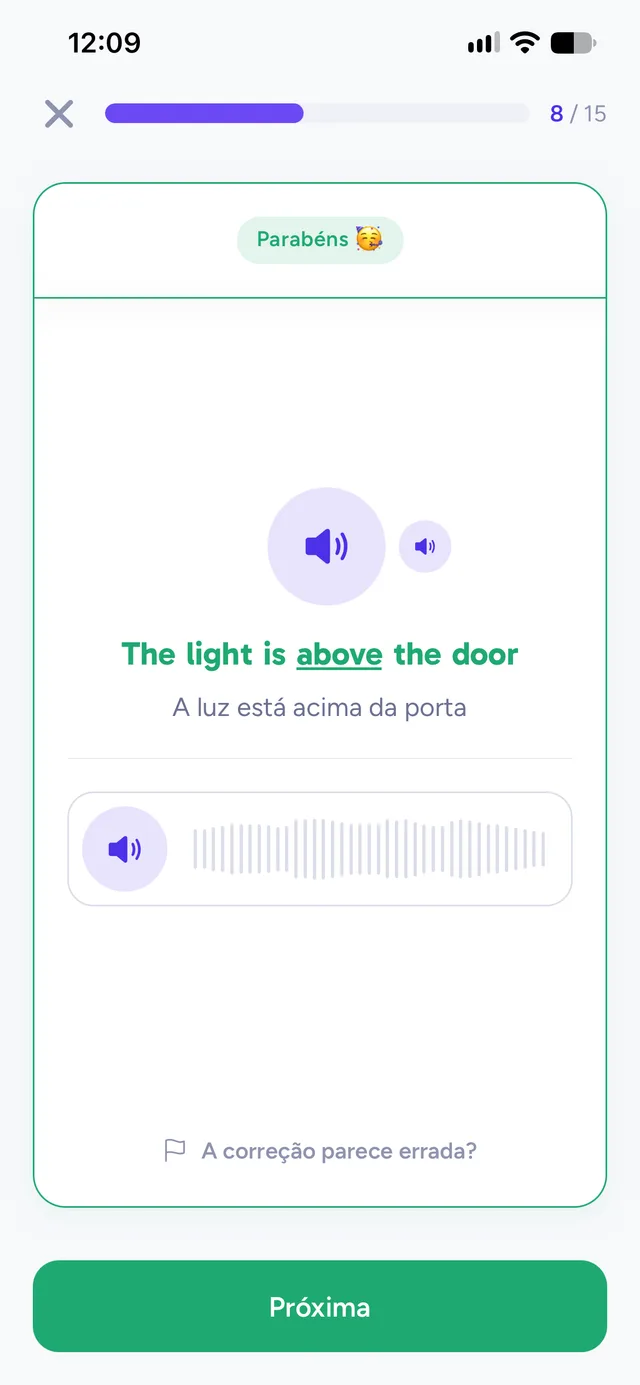
Repeat the sentence out loud.
Listen to the audio, record your voice and see what was recognised, word by word. Somewhere you cannot speak? Take pronunciation out of your sessions for an hour.
Writing
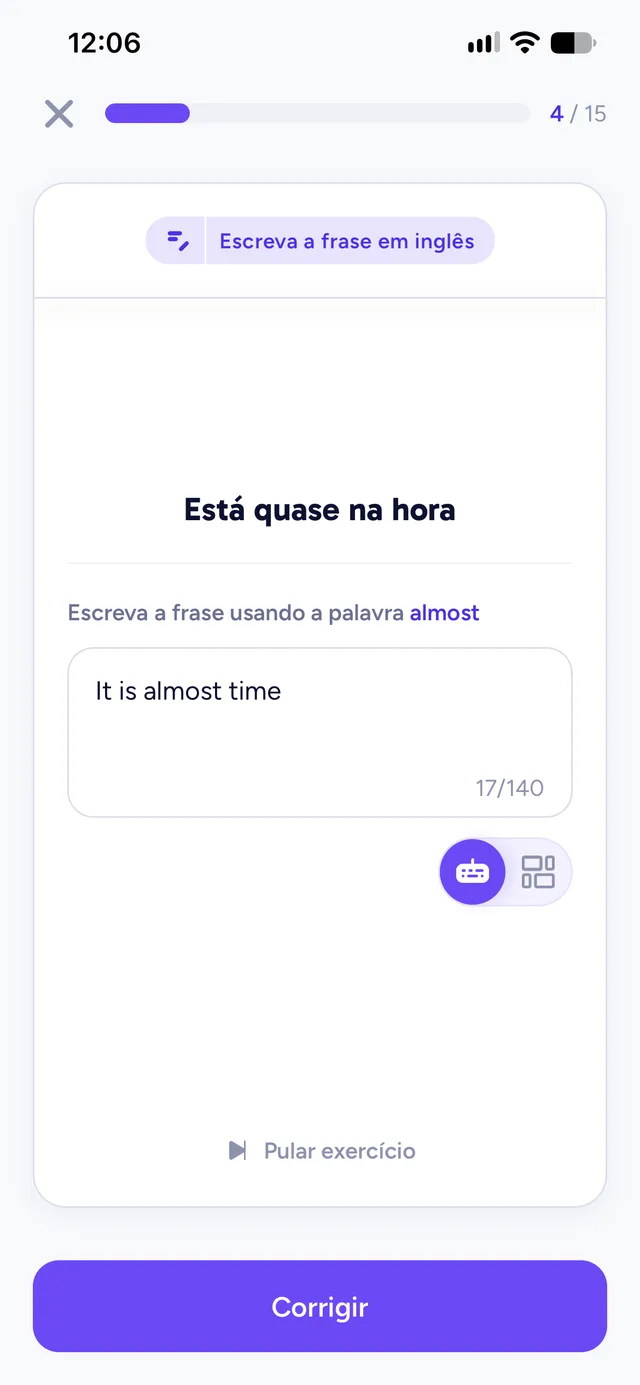
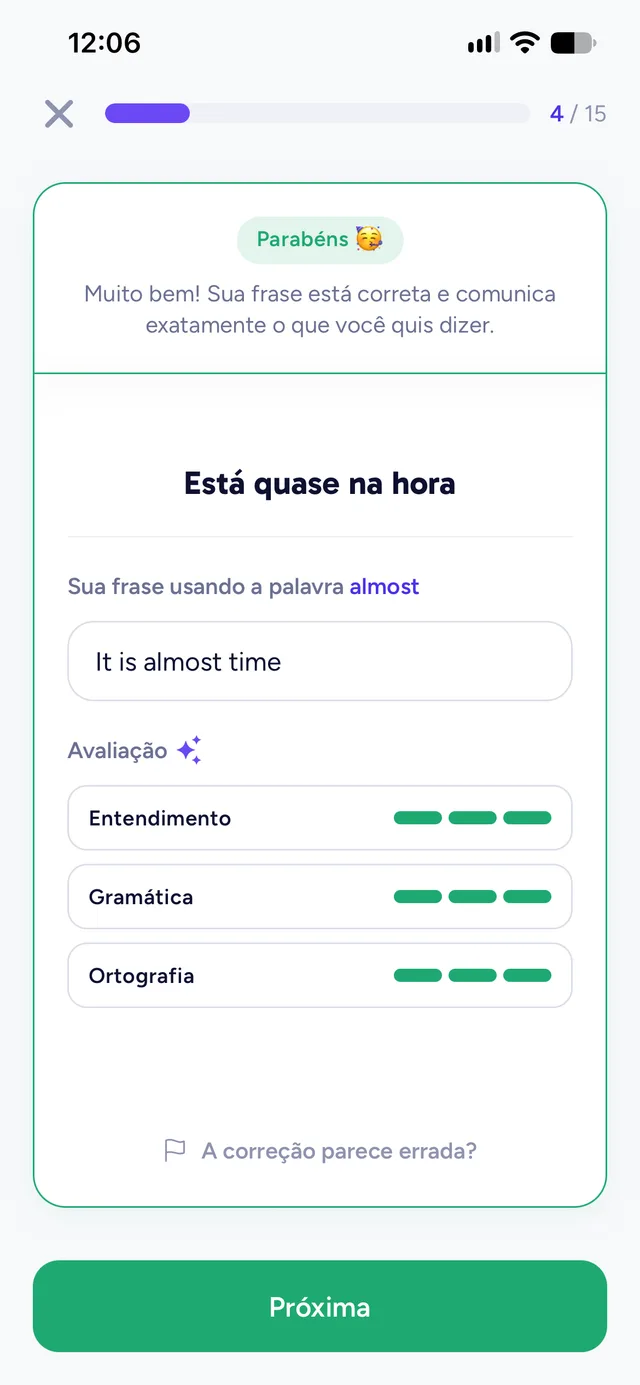
Write your own sentence and get it corrected.
Create a sentence with the word and say, in Portuguese, what you meant. The correction looks at the English and also at whether it conveyed what you wanted.
Listening
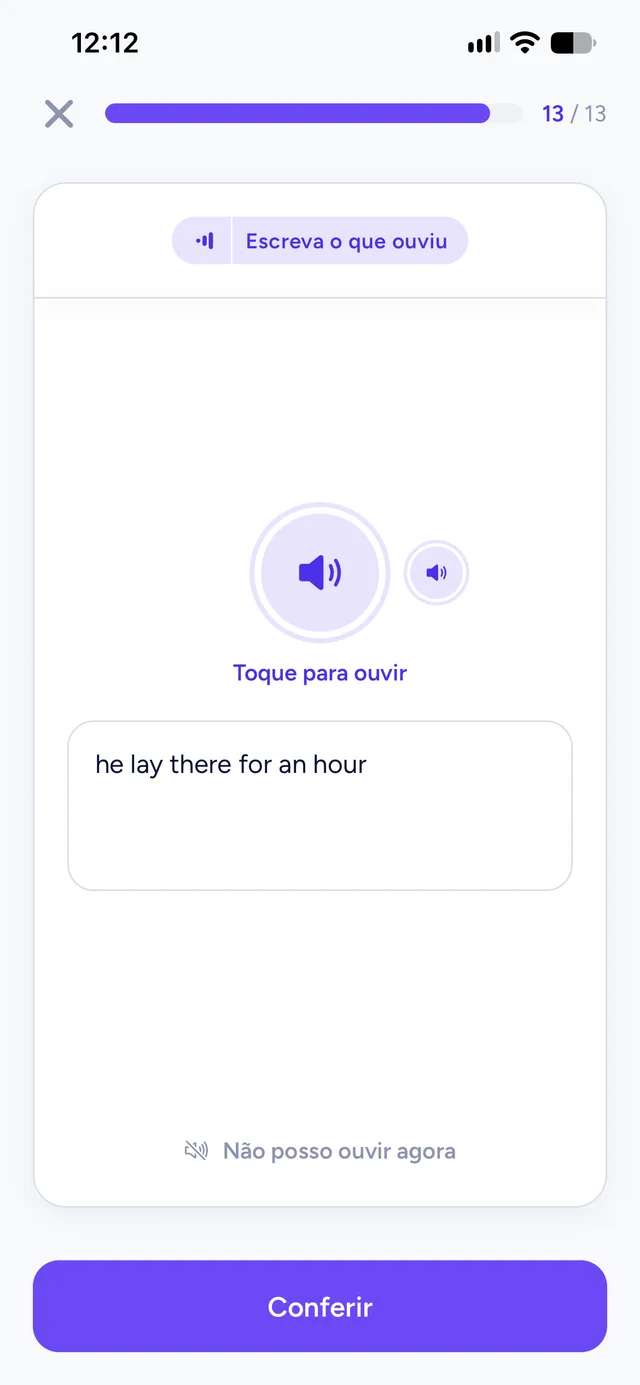
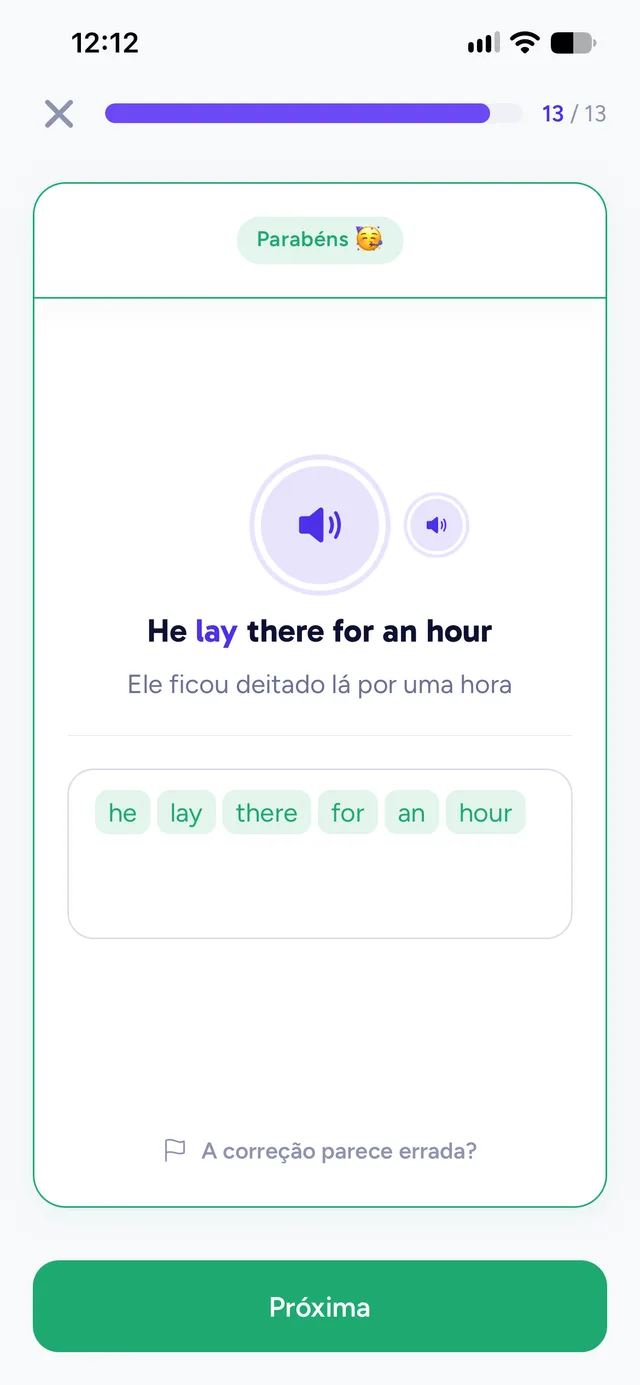
Type what you heard.
Only the audio, no sentence on screen. The comparison with the official sentence happens on your device and shows every difference, down to a typo.
New in writing
From a sentence built for you to one that is yours.
Nobody starts by writing from scratch. Each word moves up a stage with every correct answer and gets a little less help, until you write other sentences with it on your own.
- 1
Guided building
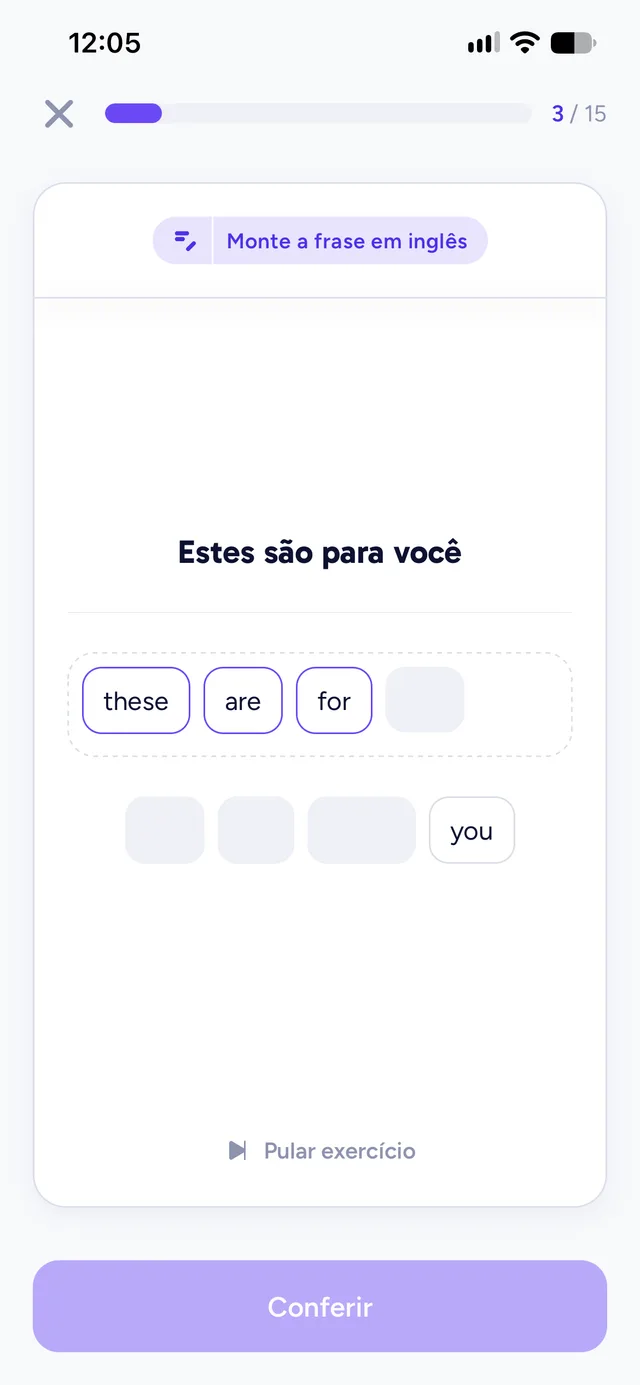
Tap the words in the right order to build the sentence.
- 2
Write the sentence
No blocks: turn the translation into English.
- 3
Write other sentences
Other sentences with the same word, one per review.
Got the sentence wrong? The word comes back the same day, and it comes back as blocks: building is checked on your device, and getting it right moves the stage up all the same. And on a day when you would rather not write, you can ask for the blocks — the stage just does not move up then.
How it works
You study. The app decides what comes next.
No study plan to build and no exercise to pick. Each day’s session is ready for you.
- 01
Catalogue
Words arrive in the order English uses them most. Mark “I already know this” or “I want to learn this”: what you know gets out of the way.
- 02
Practise
On the day it arrives, each word goes through all four skills, in this order: reading, speaking, writing and listening.
- 03
Review
Spaced repetition works out when each skill of each word needs to come back. You review only what is due.
- 04
Consolidate
When a word holds up across all four skills over time, it enters My Vocabulary.
Your progress
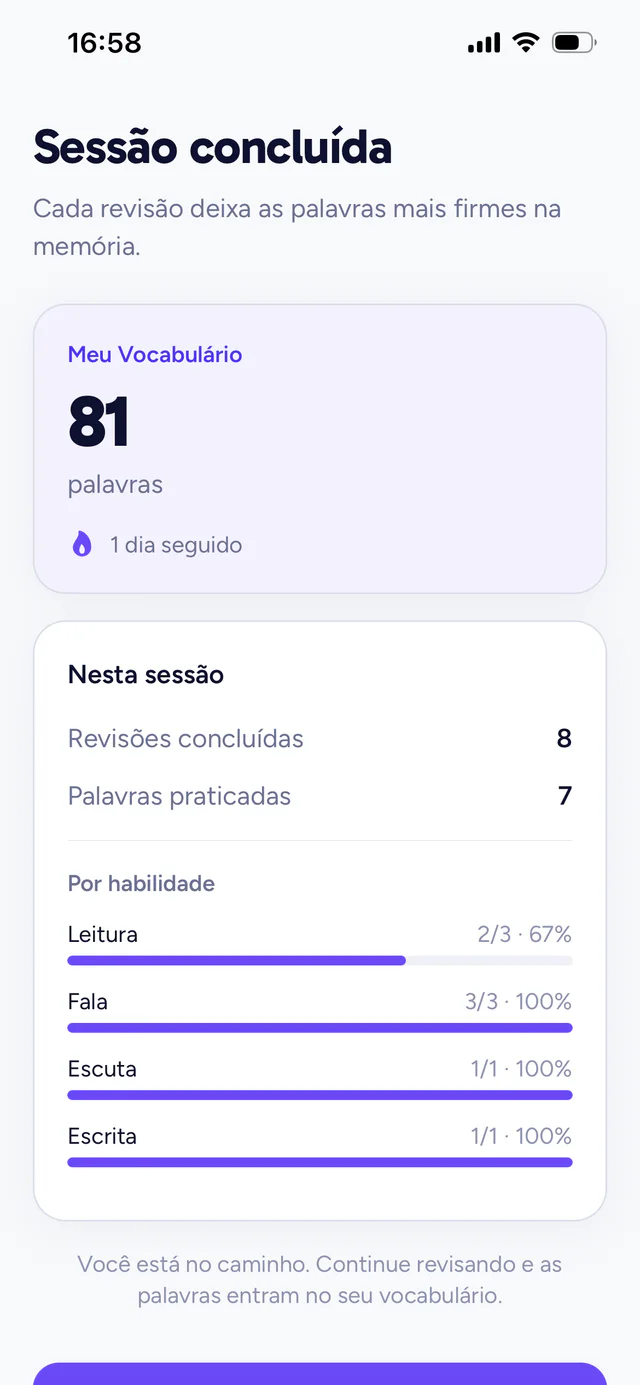
A number that only grows with what you master.
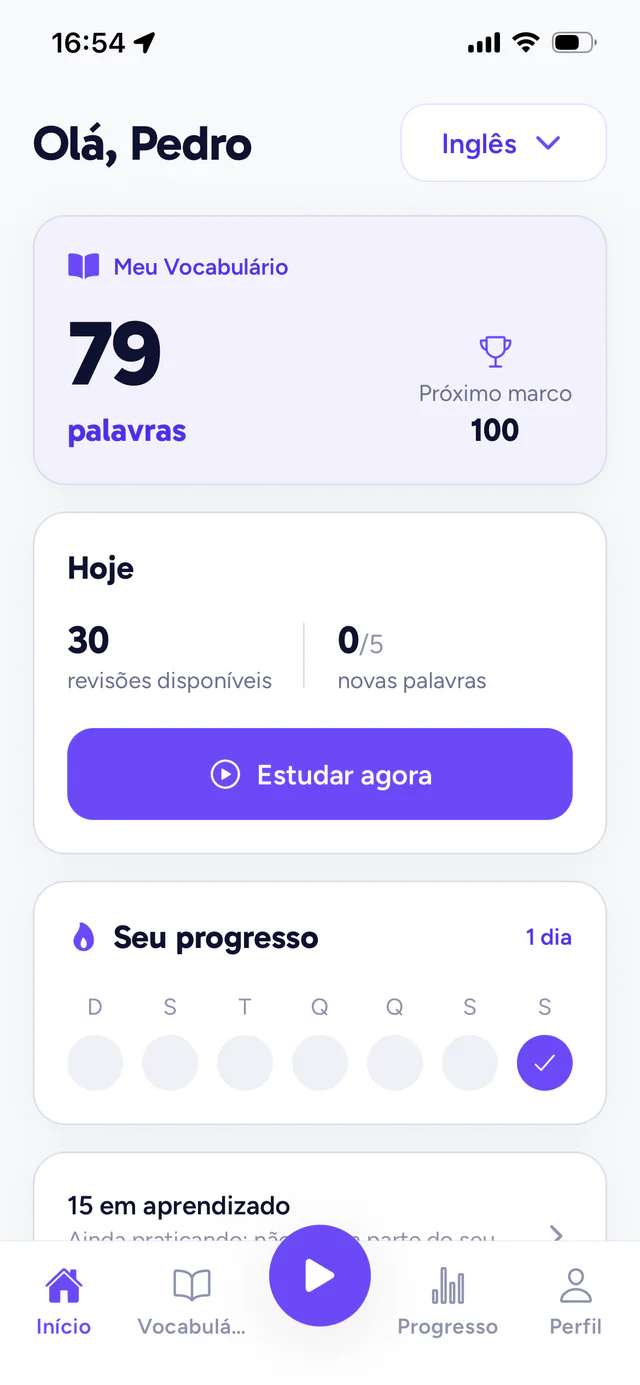
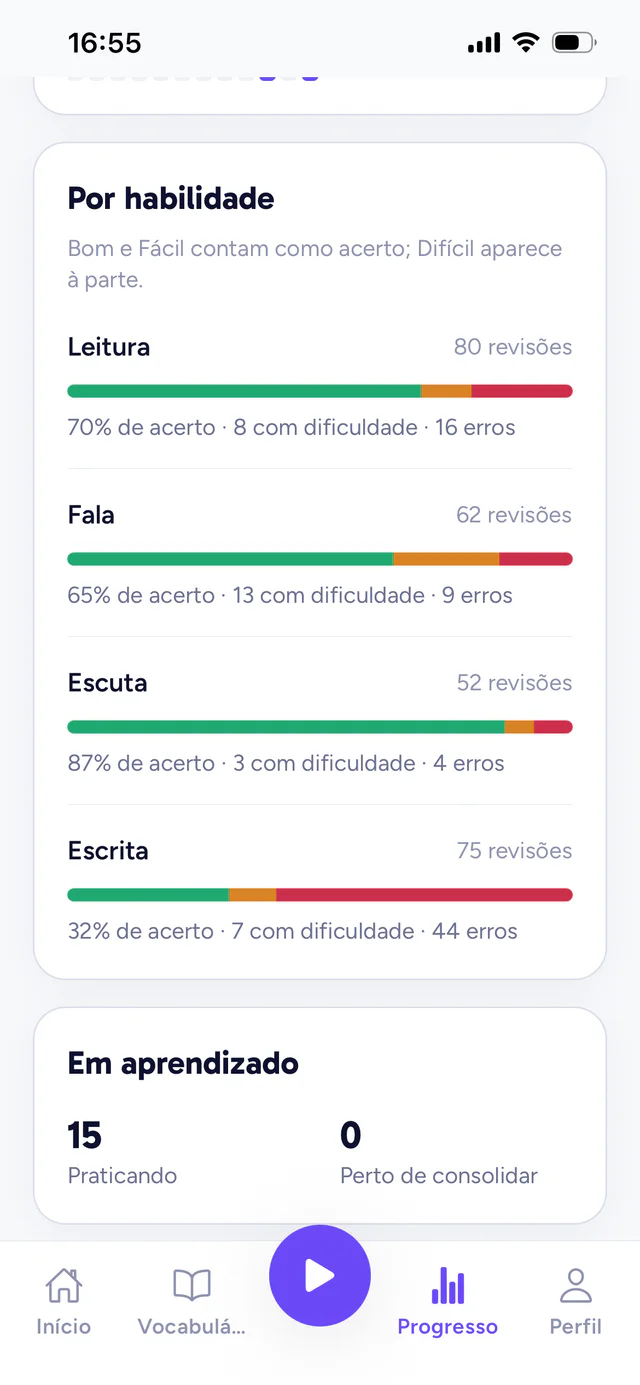
My Vocabulary adds the words you already knew to the ones you consolidated in the app. And each skill shows where you get it right and where you struggle.
- Right answers, hard ones and mistakes, separated by skill
- Adjustable daily goal and an optional reminder at the time you choose
- Missed a day? The streak starts over, but no word is lost
Why Langualy
Built to make vocabulary count.
One app, not four
No need to piece together flashcards, podcasts, a notebook and a spell-checker. All four skills work on the same vocabulary, in the same place.
Vocabulary that pays off
The sequence follows how often words actually occur. The first ones already cover a good share of what you read and hear every day.
Sentences kept in check
Every example sentence uses only vocabulary that has already appeared. You never learn a word hidden behind five other unknown ones.
Correction that explains
In dictation and speaking, you see every difference. In writing, you see the mistake, the corrected sentence and whether the English said what you meant.
Prepared audio, not improvised
Words and sentences have official audio produced before publication. Listen as many times as you like, with no waiting.
What is yours stays yours
Exercise recordings and texts do not become history. They go to the services that transcribe and correct them, come back as a result and are not kept by us.
Is Langualy free?
You can start for free, without ads. In version 1.5.0, Langualy Premium offers unlimited discoveries with a monthly or yearly subscription. The free plan includes 5 new words per day and 3 initial bonus words per language; reviews remain available. Availability and limits are shown in the app.
Which languages can I study?
American English. Spanish and French appear in the app as next steps, with no date yet.
Do I need an account?
You do. The account keeps your progress and holds your words where you left off. You can create one with an email and a password, or sign in with Apple or Google.
Does it work if I am starting from zero?
Yes. The sequence starts with the most basic words, every sentence uses only vocabulary that has already appeared, and writing starts with a sentence built from blocks.
Does Langualy use artificial intelligence?
In two places: to correct the sentences you write and to transcribe your recording in speaking. Reading, dictation and the first writing stages are corrected on the device itself. The Privacy Policy explains what is sent in each case.
What language is the app in?
The interface is in Brazilian Portuguese. Other interface languages will come later.
Is there an Android version?
Not yet. Langualy is on iPhone, and Android is on the roadmap, with no date set.
Start with the words you will use most.
Free on iPhone, with no ads. Any questions? Write to us.